
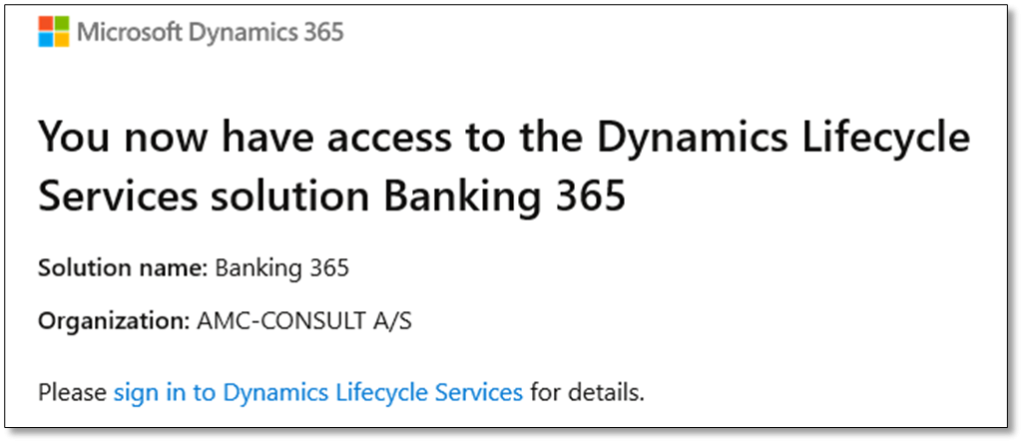
To install AMC Banking, you need an invitation to our solution in Dynamics Lifecycle Services (LCS).
To receive an invitation, send an email to info@amcbanking.com with the following details:
- Who needs access: Provide your Entra ID, e.g., john.doe@somebusiness.com).
- Where access is needed: Specify the LCS geographical location (e.g., EU, US, or both).
After receiving your request, we will send you an invitation. Check your email for confirmation.
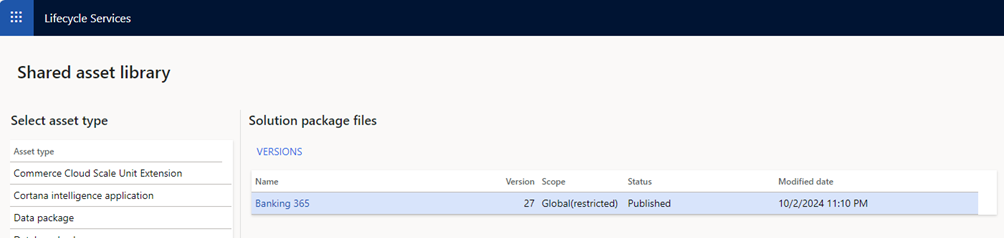
AMC Banking will now appear in the Shared asset library under the Solution package tab.
Deployment package #
To download or deploy AMC Banking packages, they must first be added to your local LCS project.
Follow these steps to download release notes:
- Go to the LCS home page.
- Open your local LCS project.
- Navigate to the Asset library.
- Select the Solution package tab.
- Click Import, select the AMC Banking solution, and click Pick (first-time setup only).
- Select the AMC Banking solution and click Versions.
- Choose the latest version and click Get version.
The selected deployment packages will now appear under the Software deployable package tab. From here you can either download them or deploy them to cloud environments within the same project.
Release notes and documentation #
You can also download release notes, which include the latest documentation for the AMC Banking solution.
Follow these steps to download release notes:
- Go to the LCS home page.
- Click the Solution management tile.
- Open the AMC Banking solution.
- Click the Release notes download button.