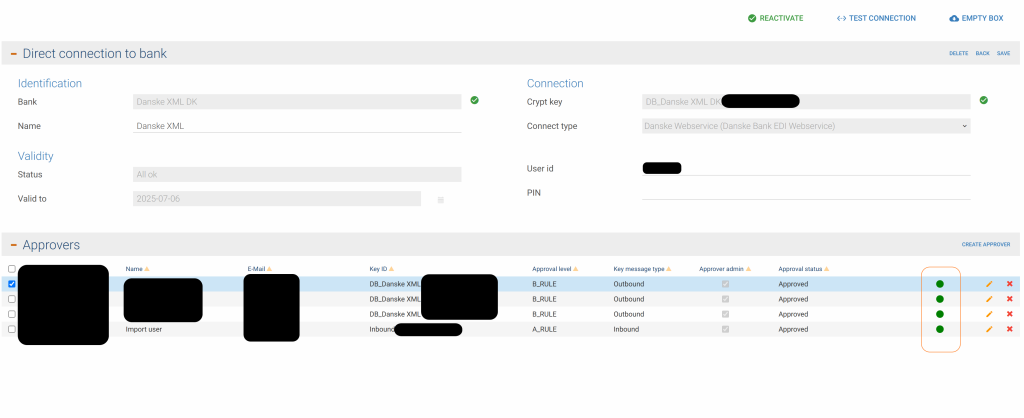
An approver should always be green in Xtendlink, if not the approver is not able to approve
Almost all situations where it is not green, it is because the approver forgot the password, and the approver or someone else tried to get a new password, either from inside Xtendlink or by using the forgot password.
This is not an option, approvers can’t forget the password
Only way to make the approver work again, is by deleting the approver and create it as if it was a new approver
Meaning that it needs to be approved again by 2 key admins
All this can be viewed in my account , by editing the bank in question